
Download RAR Repair Tool – Repair Damaged RAR Files Securely & Easily
Are you struggling with corrupted or unopenable RAR files? The RAR Repair Tool is a powerful, user-friendly software designed to recover data from damaged RAR archives. Whether you're dealing with incomplete downloads, disk errors, or accidental file corruption, this tool offers a reliable solution to restore your compressed files.
With a simple interface and strong recovery algorithms, RAR Repair Tool helps you retrieve valuable documents, photos, videos, and more without the need for technical expertise. The software is available as a trial version for Windows users and has been trusted by over 250,000 users since its launch in 2011. It supports older systems like Windows 98 and remains compatible with modern Windows versions.
Download RAR Repair Tool today and bring your broken archives back to life.
Key Features of RAR Repair Tool
One of the most compelling reasons to choose RAR Repair Tool is its comprehensive set of features tailored for effective file recovery. The software employs advanced algorithms to scan and repair corrupted RAR archives, even when they’re severely damaged or partially downloaded. It supports a wide range of RAR versions, including RAR 2.x, 3.x, and 4.x formats, ensuring compatibility with both older and newer archives. This makes it ideal for users who work with legacy files or frequently exchange compressed data across platforms.
Another standout feature is its intuitive user interface. Unlike many technical repair tools that require command-line knowledge or deep system understanding, RAR Repair Tool offers a clean, step-by-step wizard that guides users through the entire recovery process. You simply select the damaged RAR file, initiate the scan, and let the software do the rest. The tool also provides a preview function, allowing you to see the recoverable files before committing to the full repair. This helps avoid unnecessary time and storage usage when only partial recovery is possible.
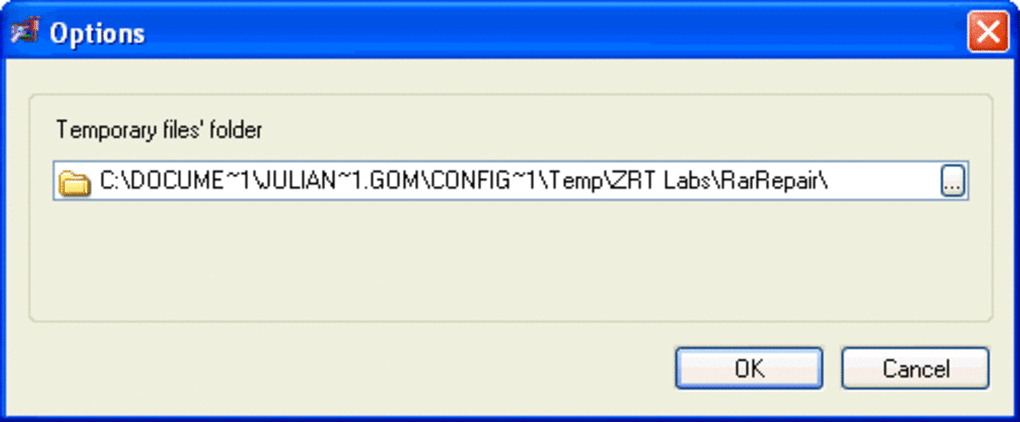
Additionally, RAR Repair Tool supports batch processing, enabling you to repair multiple RAR files at once. This is especially useful for users managing large archives or working in environments where data integrity is critical. The software also maintains file structure and folder hierarchy during recovery, ensuring that your organized data remains intact. With features like customizable output paths, logging options, and support for password-protected archives (with correct credentials), RAR Repair Tool delivers a robust, secure, and efficient repair experience.
How to Install and Use RAR Repair Tool on Windows
Getting started with RAR Repair Tool is straightforward and requires minimal technical knowledge. First, download the trial version from the official website. Make sure to choose the correct version for your system—this software is currently only available for Windows operating systems, including Windows 98, XP, Vista, 7, 8, and 10. Once downloaded, run the installer and follow the on-screen instructions. The installation process is quick and does not require any additional software dependencies.
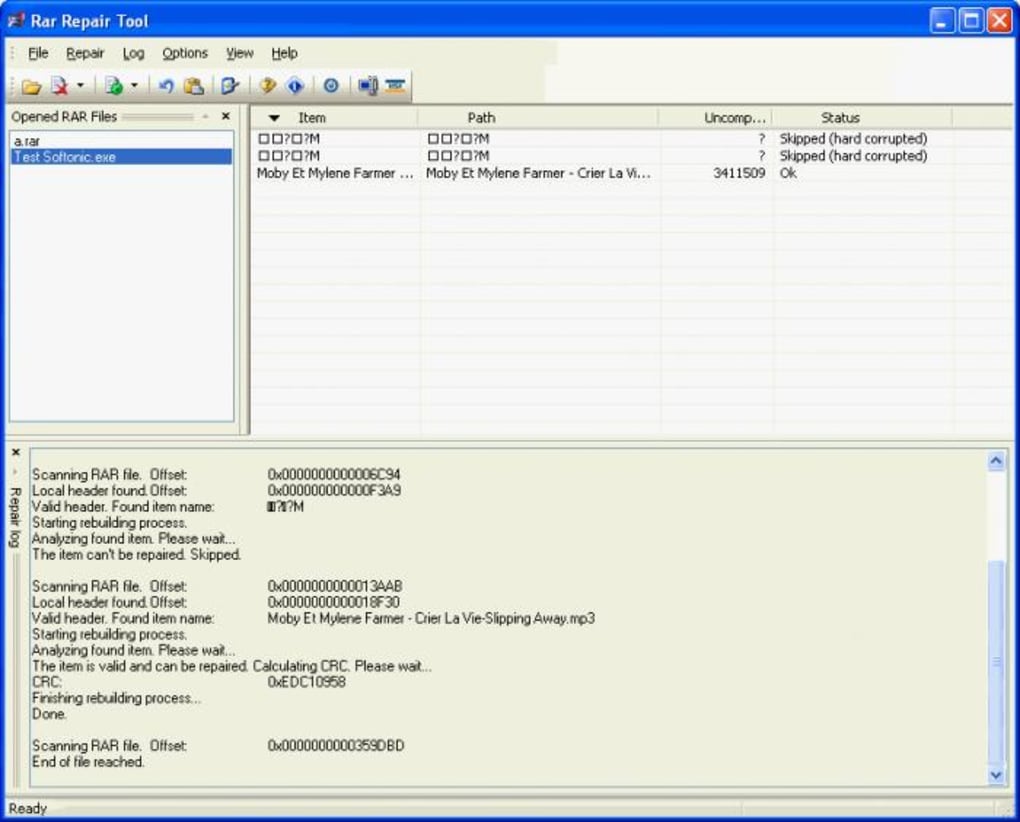
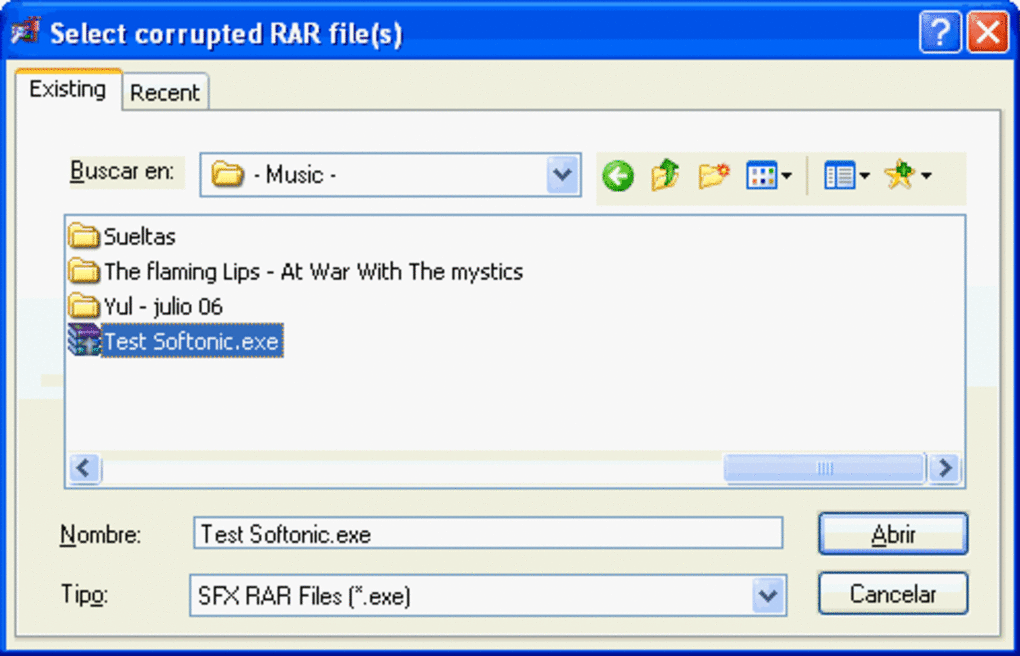
After installation, launch the application. The main window displays a simple interface with clear options: “Select File” to browse and choose your damaged RAR archive, “Repair” to begin the recovery process, and “Preview” to inspect recoverable data. Click “Select File,” locate your corrupted RAR file, and click “Repair.” The software will automatically scan the file, analyze its structure, and attempt to reconstruct missing or damaged headers and data blocks.
During the scan, a progress bar and real-time status updates keep you informed. Once the process completes, you’ll see a list of recoverable files. Use the preview function to verify the integrity of specific files before saving.
You can then choose a destination folder for the recovered files. The tool allows you to save the repaired archive as a new RAR file or extract individual files directly. For users managing multiple archives, the batch repair feature can save significant time.
Always ensure you have sufficient free space on your drive, as the repaired files may be larger than the original corrupted version.
Compatibility and System Requirements
RAR Repair Tool is specifically designed for Windows users and is compatible with a broad range of operating systems, from legacy versions like Windows 98 to modern platforms such as Windows 10. This wide compatibility makes it a versatile tool for both home users and businesses that may still be using older systems. The software is lightweight, requiring minimal disk space—less than many other utilities in the same category—making it suitable for low-resource environments.
Despite its age, the software continues to perform reliably. The latest version, 4.0.1, was updated on December 10, 2012, and while no major updates have been released since, its core algorithms remain effective for repairing RAR files. The tool is available in English and supports international file naming conventions, which is helpful for users in countries like Indonesia, India, and the Islamic Republic of Iran—where it’s particularly popular.
For optimal performance, ensure your system has at least 100 MB of free disk space and 512 MB of RAM. The software runs efficiently on both 32-bit and 64-bit Windows systems. While it doesn’t support Mac, Android, or iOS platforms, Windows users can benefit from its stable, no-frills repair process. It’s important to note that RAR Repair Tool is a trial version, meaning full functionality is limited until you purchase the licensed version. However, the trial allows you to test the repair process and preview recoverable files, giving you confidence in its effectiveness before committing to a purchase.
Pros and Cons of RAR Repair Tool
- Pros:
- High success rate in repairing severely damaged RAR files
- Simple, intuitive interface suitable for beginners
- Supports batch repair for multiple files
- Preview feature allows safe file verification
- Lightweight and fast with minimal system requirements
- Compatible with older Windows systems (98 and above)
- Cons:
- Only available for Windows (no Mac, Android, or iOS support)
- Outdated version (last update in 2012)
- Full features require a paid license (trial version has limitations)
- No cloud integration or automatic backup options
- Supports only RAR archives, not other formats like ZIP or 7Z
Frequently Asked Questions (FAQ)
- Can RAR Repair Tool fix password-protected RAR files?
Yes, but only if you have the correct password. The tool can repair password-protected archives as long as the password is provided during the repair process. Without it, recovery is not possible.
- Is RAR Repair Tool safe to download and use?
Yes, the software is considered secure when downloaded from the official source. It does not contain malware or adware. Always avoid third-party sites to prevent potential risks.
- How long does the repair process take?
The duration depends on the file size and level of corruption. Small files may take under a minute, while large archives (10+ GB) can take several minutes to complete. The software provides real-time progress updates.
- Can I recover individual files from a damaged RAR archive?
Yes, RAR Repair Tool allows you to preview and selectively recover individual files. This is especially useful when only a few files are damaged, saving time and disk space.
- Does RAR Repair Tool support RAR5 format?
The tool supports RAR 2.x, 3.x, and 4.x formats. While it may work with some RAR5 files, full compatibility is not guaranteed. For newer RAR5 archives, consider using more recent tools.
Final Verdict: Is RAR Repair Tool Worth It?
Despite its age and lack of recent updates, RAR Repair Tool remains a solid choice for Windows users facing corrupted RAR files. Its ability to recover data from severely damaged archives, combined with a user-friendly interface and lightweight design, makes it a reliable option for both casual and professional use. The trial version offers enough functionality to test the tool’s effectiveness, giving you peace of mind before purchasing.
If you’re a Windows user who frequently works with compressed files and has experienced data loss due to corruption, RAR Repair Tool is a secure, free-to-trial solution worth downloading. While it lacks modern features like cloud sync or support for other formats, its core purpose—repairing RAR files—is executed exceptionally well.
For those needing a more updated or multi-platform solution, consider exploring alternatives like Advanced RAR Repair or Hetman File Repair. But for immediate, straightforward RAR recovery on Windows, RAR Repair Tool continues to deliver.
Download RAR Repair Tool today and restore your lost data with confidence.







